

This is an old revision of the document!
Table of Contents
Mkmd: Manuka's Mint Distribution
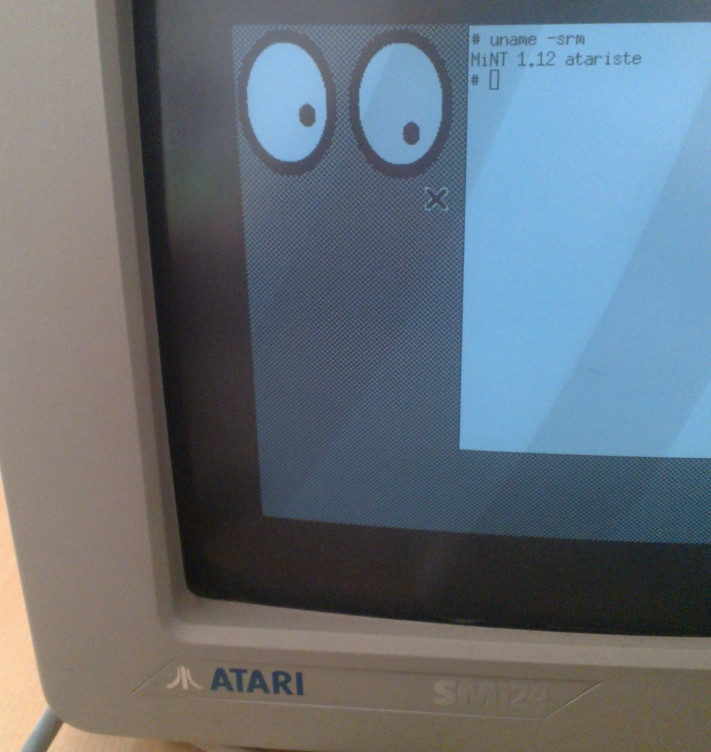 Manuka's Mint Distribution is a Mint Distribution targeting Unix & Linux users who would like to have a free Unix Like classical environment for their Atari ST. It is based on the 1995 release of KGMD, so don't expect too much new stuff.
The target platform is the 68000 Atari with 4 Mb of RAM, 1GB Ultrasatan SD Card drive, Ethernec network card (optional)
Manuka's Mint Distribution is a Mint Distribution targeting Unix & Linux users who would like to have a free Unix Like classical environment for their Atari ST. It is based on the 1995 release of KGMD, so don't expect too much new stuff.
The target platform is the 68000 Atari with 4 Mb of RAM, 1GB Ultrasatan SD Card drive, Ethernec network card (optional)
MKMD is distributed in the form of Ready to boot SD card images, that you should write to a SD Card using dd on Linux ( see here: http://askubuntu.com/questions/179437/how-can-i-burn-a-raspberry-pi-image-to-sd-card-from-ubuntu on how to write a flashcard image on Unix & Linux) , and Win32 imager on Windows (see http://sourceforge.net/projects/win32diskimager/files/)
Download
Writing the media
- unzip the SD card image, and write to it a SD card. The card has to be 1GB minimum, from which 768 MB will be used. All previous data on the SD card will be erased. How to write the SD card image depends on your platform:
- Linux & Unix: follow this tutorial http://askubuntu.com/questions/179437/how-can-i-burn-a-raspberry-pi-image-to-sd-card-from-ubuntu or use
dd - Windows: Download the Win32DiskImager program, and follow this tutorial: http://raspi.tv/2012/how-to-make-a-raspberry-pi-disk-image-to-sd-card-with-win32diskimager
- OsX: follow this tutorial: http://www.embeddedarm.com/support/faqs.php?item=10
After inserting the media in your Ultrasatan device, your ST should boot into MKMD.
How to use
- login as user
userwith passwordNormaluserorrootwith passwordRootuserin text mode - when logged in as root, you can start the single task GEM gui with
execgemor the multi tasking GEM gui withexecmtos
The Unix environment is very similar to a classical SunOS or BSD system, although of course quite slow. It has bash, gcc 2.5 and a Minix file system. The SD card image was partitioned with the Atari AHDI driver v 5.0 and contains three partitions of 256 Mb each.
Components in the distribution
MKMD is based on:
- Knarf's German Mint Distribution 1.0: http://ftp.funet.fi/pub/atari/mint/KGMD/
- Multitos AES: http://gtello.pagesperso-orange.fr/mint.htm
- Atari Hard Disk Driver: http://www.nic.funet.fi/index/atari/diskutil/ahdi5.zoo
I am working on adding:
- X11 demo
Use with an emulator
Use the downloaded .img file as an emulated ACSI device, and just boot. If you use the Hatari emulator, it would be:
hatari --acsi 768M.img